

Learn how to use SellerCenter’s ad analysis tools to explore Facebook ad spy,TikTok ads library, and YouTube ad insights. Discover trending ad creatives, monitor competitors' campaigns, and improve your advertising strategy using professional tools like Instagram ad library and TikTok ads spy.
I. Feature
What is Ad Analysis?
Ad Analysis is a professional tool provided by SellerCenter for eCommerce sellers. It helps you:
- Analyze competitors’ ad strategies: Learn where your competitors place their ads and what kind of content they use
- Discover trending ad creatives: Find high-performing ad designs and copy
- Optimize your ad strategy: Adjust your advertising approach based on data insights
- Lower advertising costs: Avoid blind spending through precise analysis and improve your ROI
- Stay ahead of the market: Identify trends early and react quickly to market changes
Who is it for?
- New eCommerce sellers: Learn by referencing existing ads and strategies
- Small and medium sellers: Maximize limited budgets with targeted advertising
- Brands: Monitor competitor activities to plan strategic moves
- Agencies: Provide professional ad analysis services for clients
II.How to Use
1. Search
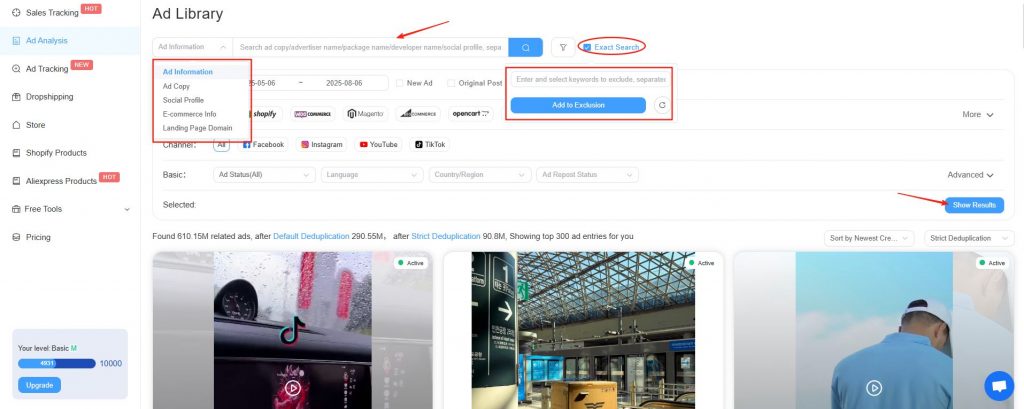
- Ad Information: Enter product ad information to analyze related ads.
- Ad Copy: Enter ad copy to search for ads.
- Social Profile: Directly enter the social media profile you want to analyze.
- E-commerce Information: Enter the e-commerce information you want to analyze.
- Landing Page Domain: Directly enter the landing page domain of the ad you want to analyze.
- Exclusions & Exact Search: If you have related information you want to exclude, you can fill it in the exclusions input box and click Add to Exclusions. The system uses exact search by default.
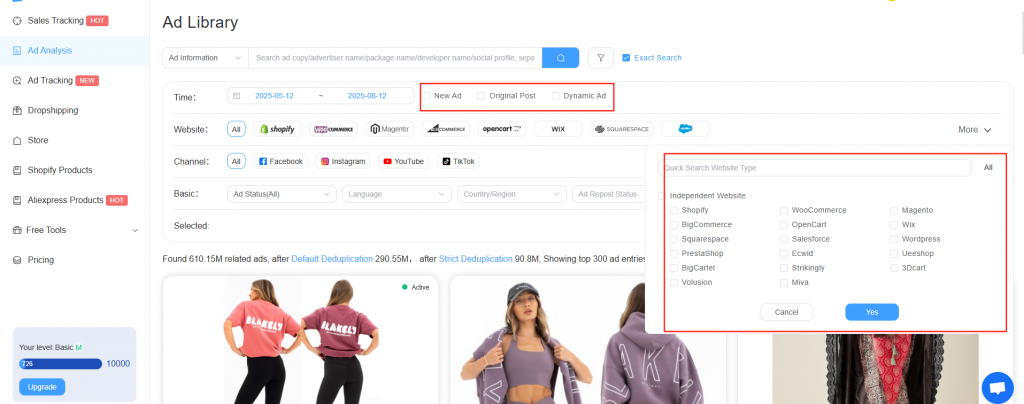
- New Ads: Ads occurred for the first seen within the selected time
- Original Ad Posts: Collected from personalized placements of hundreds of thousands of users, featuring real social interaction data to help with precise analysis.
- Dynamic Ads: A great tool for advertisers with product catalogs to promote their business, effective only across the four channels in the Facebook family.
2. Filter
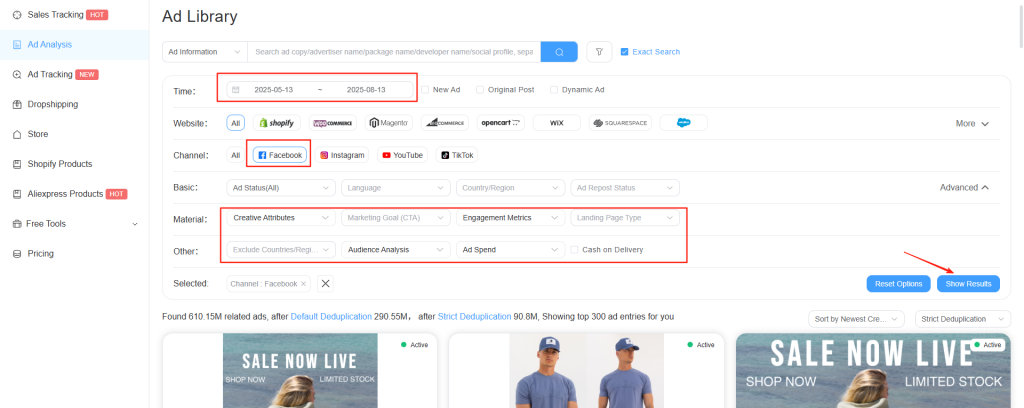
- Time Range: Select from the past 7, 30, or 90 days
- Site Type: Data available from 17 independent ecommerce platforms
- Channel: Select from Facebook, TikTok, Instagram, YouTube
- Basic Filters: Filter by ad status, language, country/region, etc.
- Creative: Filter ads by type, video duration, size, quality, resolution, and more.
- Other: Exclude by country/region, cash on delivery, etc. When the channel is Facebook, audience analysis and ad spend analysis are also available.
3. Sorting
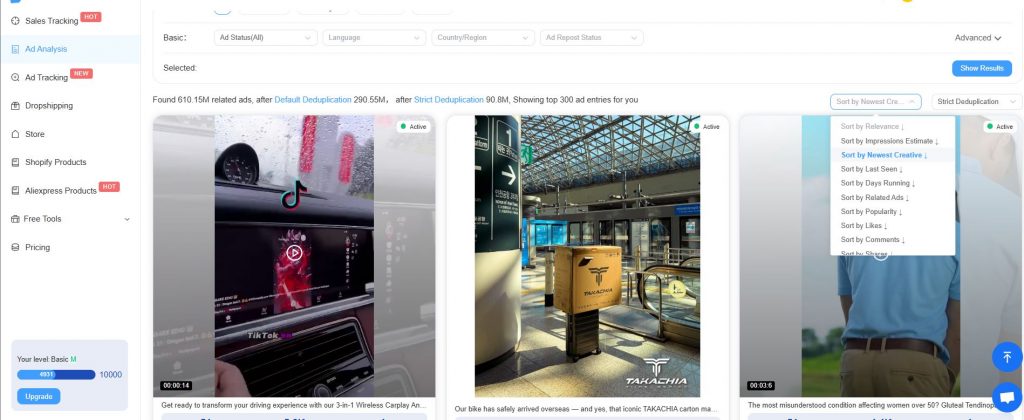
Nine sorting methods are available; default is by newest creative first
4. Deduplication
Three deduplication modes are provided; default is strict deduplication
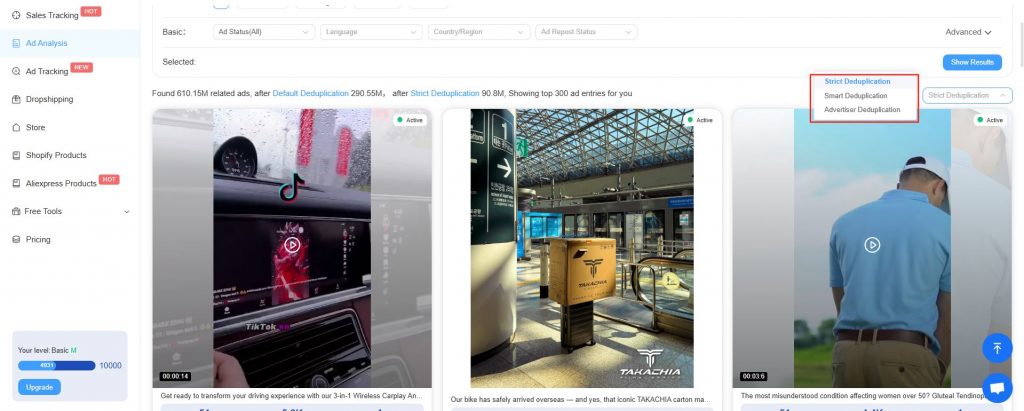
5. Ads list
- Ad Media Type: Top part of each result card displays media type (image/video);
- Number of Ads Displayed: By default, 24 ad list entries are shown. Each scroll loads 24 more, and the total number displayed varies depending on the permission plan.
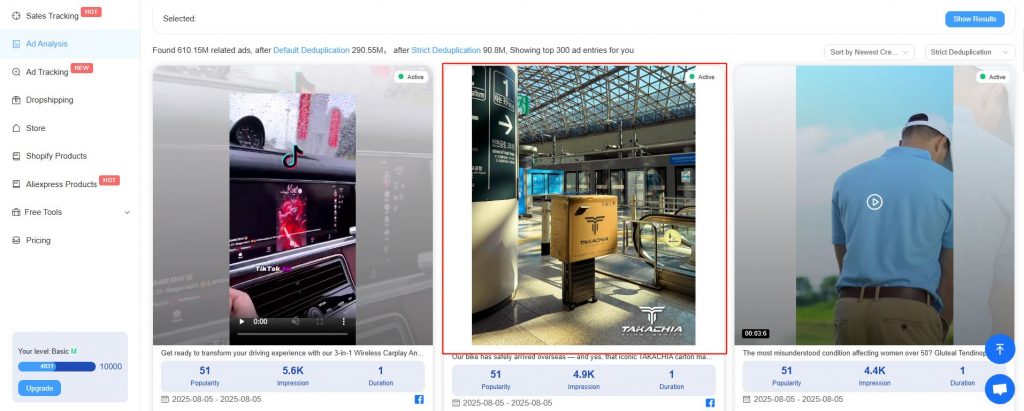
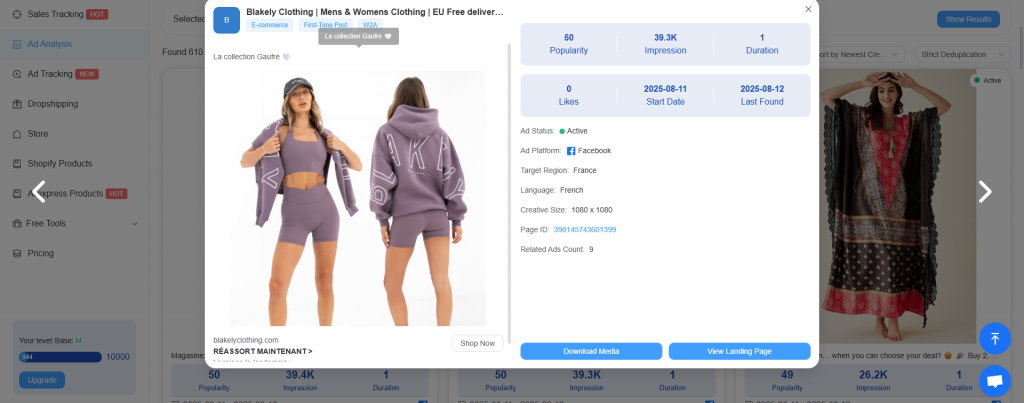
- Ad Overview: Click on the image or video area to open a popup with the ad overview. You can view basic ad information, download it, check the landing page, and more.
- Basic Ad Info: Popularity, estimated impressions, number of running days, countries/regions, landing page, ad platform
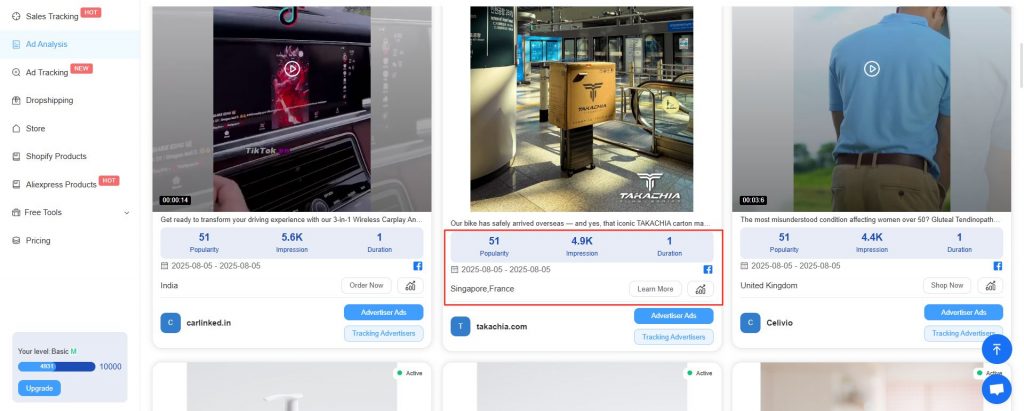
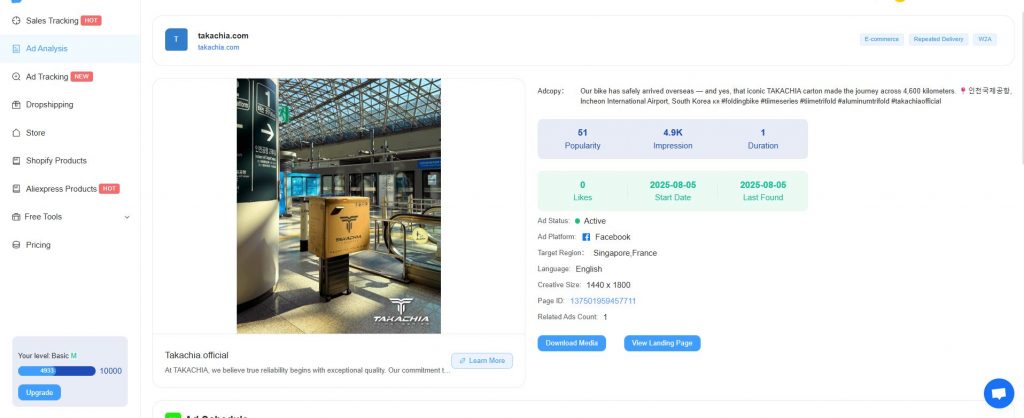
- Ad & Landing Page Details: Click to open the landing page or ad detail page
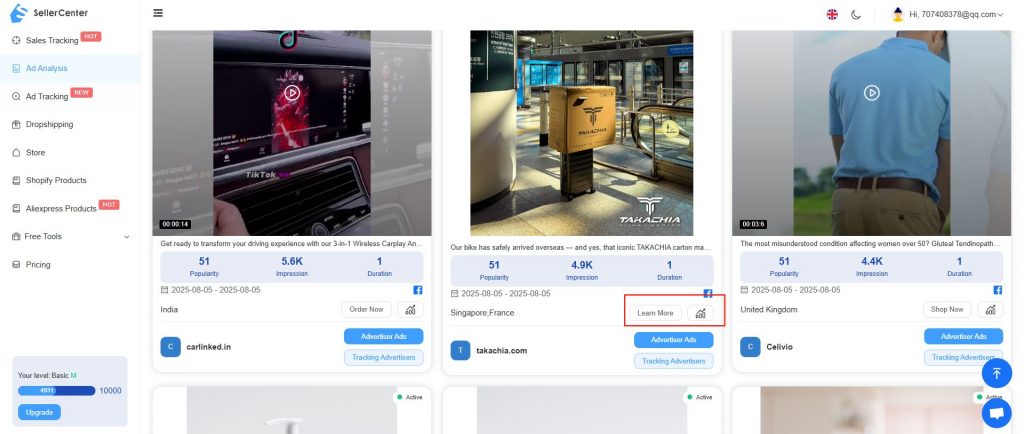
- Detailed Ad Info: Includes ad media, size, link, and engagement data
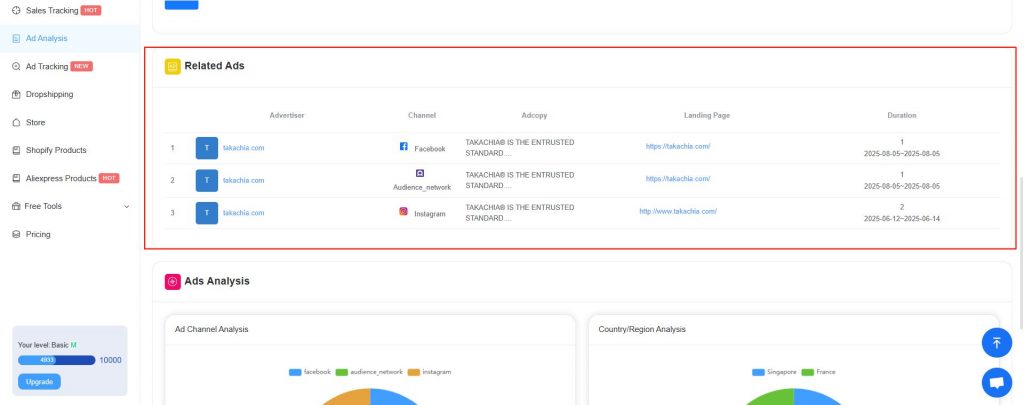
- Related Ads: Discover ads connected to your search
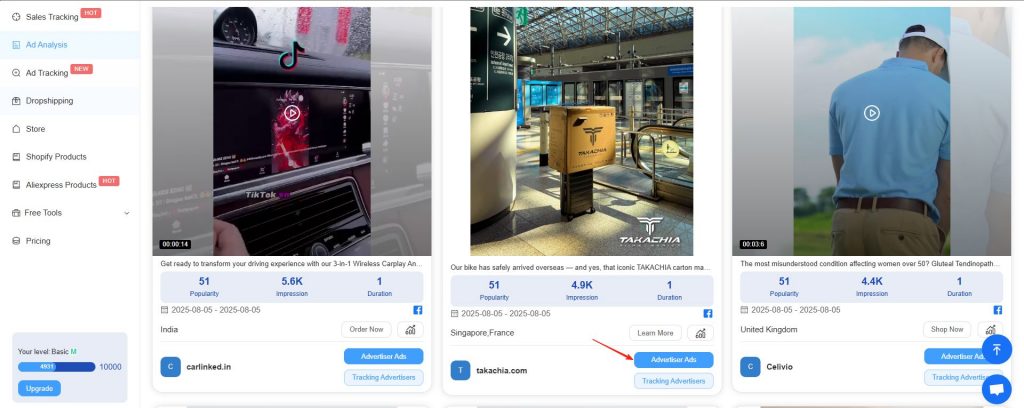
6. Advertiser’s Ads
Click the bottom-right button of an ad card to view other ads from the same advertiser
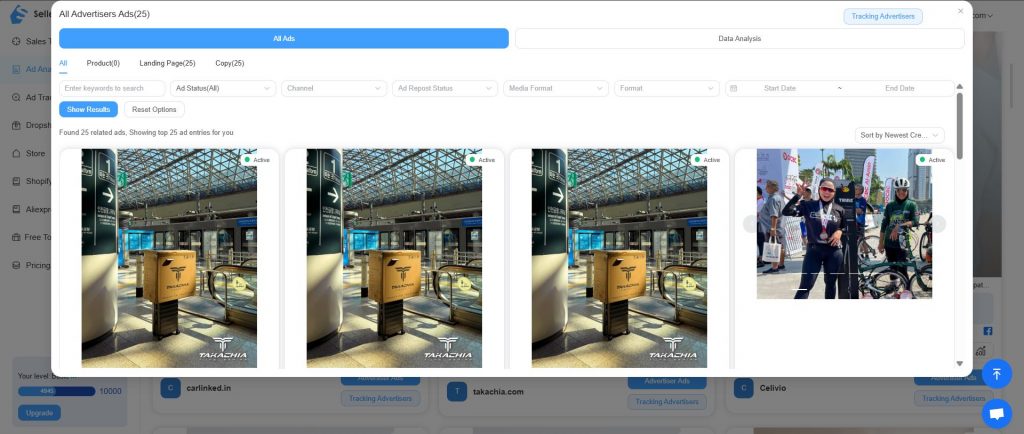
- Advertiser Data
Search with filters like keyword, status, time range, and more. Get a complete picture of your competitors’ ad strategies
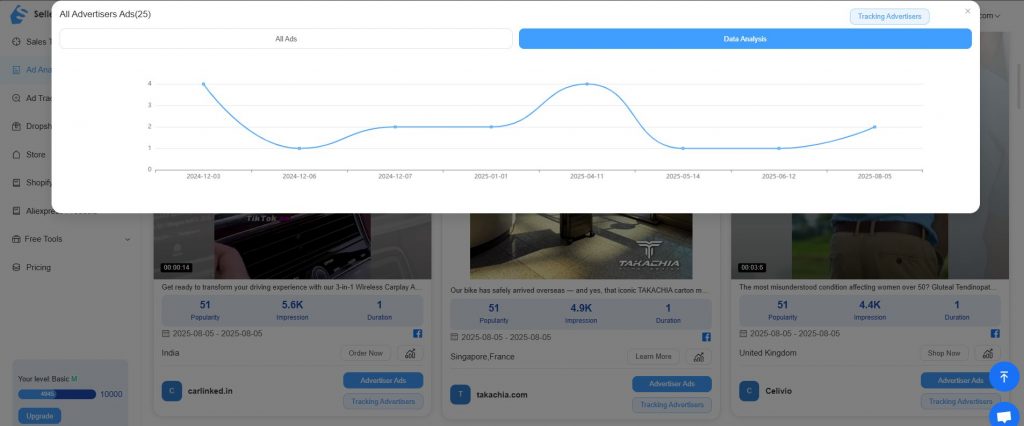
- Data Analysis
Visualized insights based on platform, time, and region
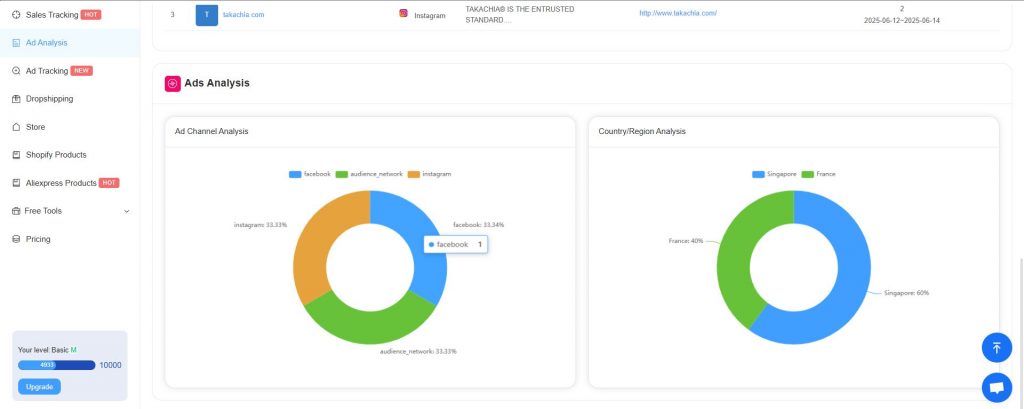
- Ad Analysis Data: Statistics by ad platform and country/region
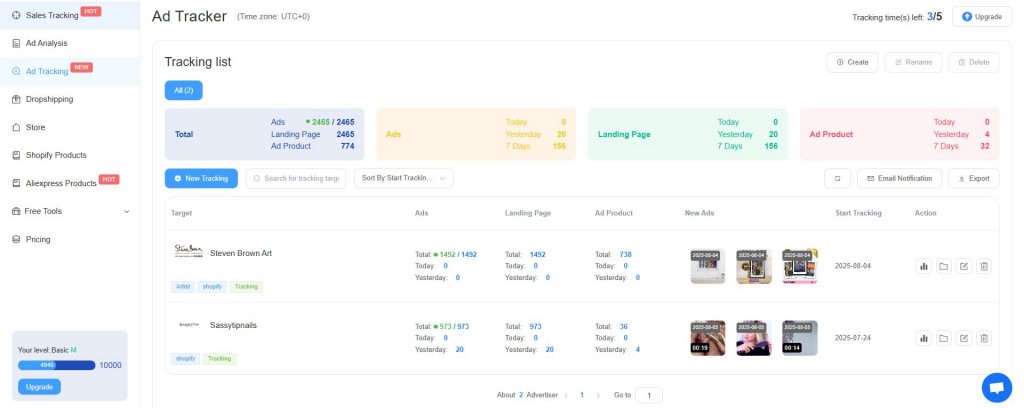
7. Monitor Advertisers
Click Monitor this Advertiser to add them to your watchlist.
To learn more, go to the Ad Monitoring section in the navigation bar
III. Permissions
All users — Free, Basic, Pro, and Expert — can access the Ad Analysis feature.
For usage limits and feature availability, please refer to the Plan Details page.